How to Start a YouTube Channel Step by Step 2026 (Beginner-Friendly Guide That Actually Works)
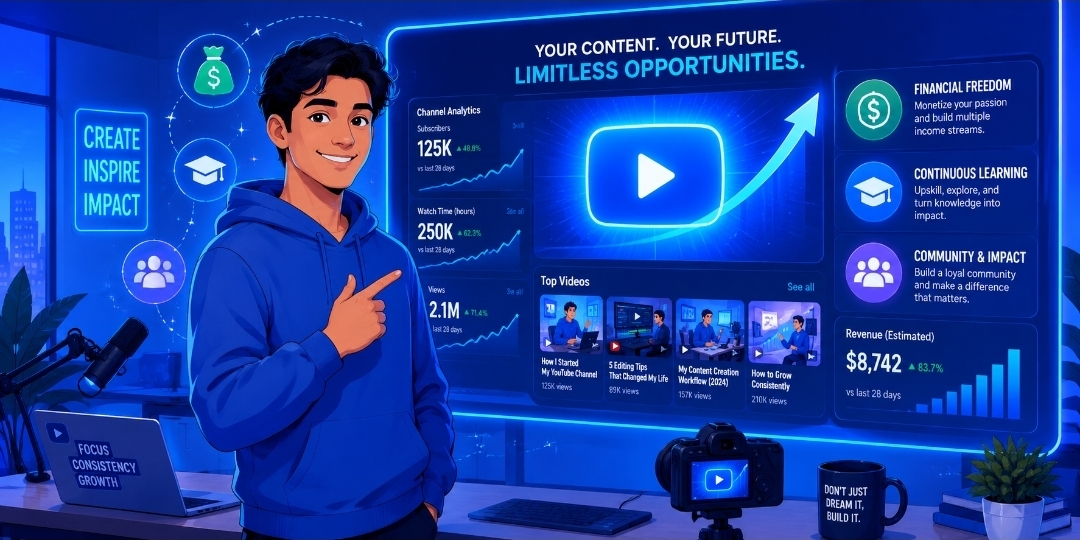
How to Start a YouTube Channel Step by Step? YouTube is one of the greatest opportunities for anyone to start a new journey—whether it is to earn money, learn new things, or build a personal brand. If you have ever wondered, “How do I start a YouTube channel?”, this article will share everything you need to know.
We will cover:
• The benefits of having a YouTube channel.
• How to choose the right niche for you.
• A step-by-step guide to opening your channel.
• The equipment you need.
• How to rank your videos higher.
• Mistakes you must avoid.
Think of YouTube as a farm you planted. If you water it regularly, protect it from animals, and take good care of it, that farm will eventually grow well and reward you with a great harvest.
What is a YouTube Channel?
Before we dive into how to start a YouTube channel step by step, it is important to understand what a YouTube channel is and how people use it..
A YouTube channel is a place where you can store and share your videos with other people. The content you share can include education, awareness, entertainment, advice, and more.
How Do People Use It?
People use YouTube for:
• Learning (tutorials)
• Entertainment (vlogs, comedy)
• Education (educational content)
• Business (marketing & branding)
Is It Free?
Yes, YouTube is 100% free to start. The only things you need are:
• A mobile phone
• An internet connection
Benefits of Starting a YouTube Channel
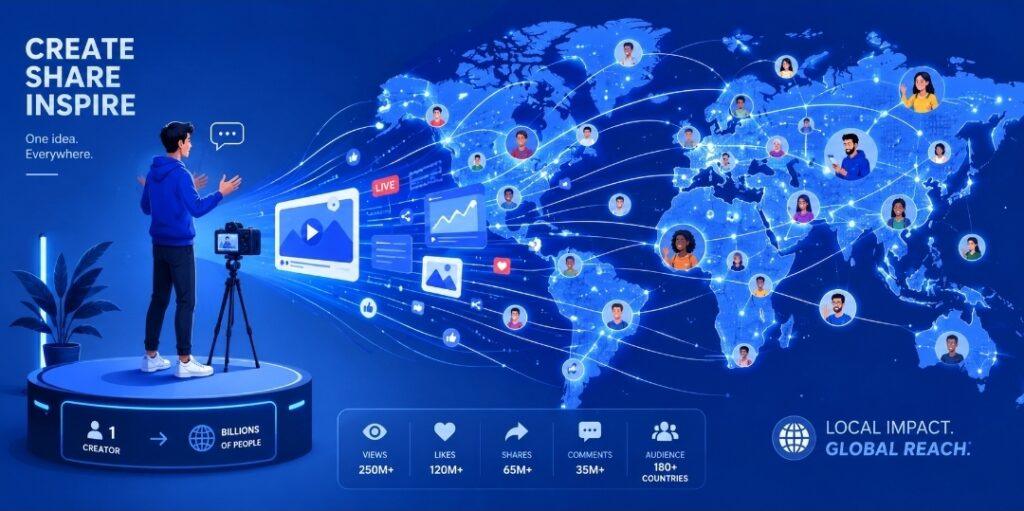
Reach a Worldwide Audience
Your videos or messages can reach thousands or millions of people living all over the world.
Make Money from Your Videos
Once your channel grows and meets the requirements, you can monetize it. You can earn money through:
• Ads (YouTube Partner Program)
• Sponsorships
• Affiliate marketing
Build a Community
You will build a community of followers, including everyday people, business owners, youth, politicians, intellectuals, men, and women. This makes it easy for you to share your message directly with the most important members of society.
Showcase Your Knowledge
You can use the platform to show your knowledge and skills. This helps others see your progress, what you can contribute to society, and lets anyone who needs your talents find you.
Boost Your Career or Business
YouTube can act as a “living CV” (resume) that shows your skills directly to the public and major companies.
Learn New Skills
By running a channel, you will learn:
• Video editing
• Public speaking
• SEO (Search Engine Optimization)
It is Free and Simple
You can start using just your mobile phone.
How to Choose a Profitable Niche
Start with What You Love
Pick a niche that you love and are genuinely interested in. If you like your niche, you will keep going and won’t get bored.
First, figure out what you like to talk about—whether it is IT, Education, Motivation, Finance, Online Business, or Entertainment.
Tip: Never mix two or more niches together. Choose one specific niche so people know exactly what you are known for and why they should visit your channel.
Make Sure It Has Earning Potential
Check if advertisers and people spend money in that niche.
Examples include:
• Tech
• Education
• Fitness
Check the Demand
Are there people out there who are actually interested in and searching for the topic you want to talk about?
Choose topics that a lot of people care about.
Look at the Competition
If there is a lot of competition, that is actually a good sign—it means there is an active audience for it.
Solve a Real Problem
Your content should solve a problem. Whatever you are talking about needs to be a solution to a real, ongoing need.
Make It Specific
Don’t make your niche too broad. Focus on a specific angle.
Example: Instead of talking about general “Fitness,” focus on “Fitness for beginners at home.
Test Your Idea
Create 3 to 5 videos first, and see how people respond.
Don’t Start Just for the Money
If you only focus on money from day one, you won’t get it right away. You can make great money, but it takes time and patience.
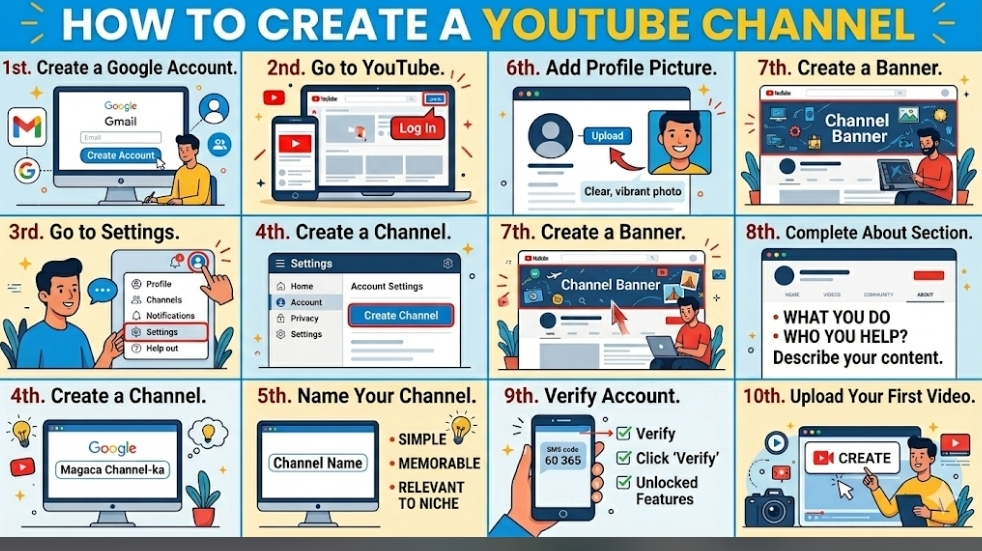
How to Create a YouTube Channel Step-by-Step
Step 1: Create a Google Account
Go to Gmail and create a new email account.
Step 2: Go to YouTube
Open YouTube and log in using your new Google account.
Step 3: Go to Settings
Click on your Profile picture in the top corner, then click on Settings.
Step 4: Create a Channel
Click on the option that says “Create a Channel”.
Step 5: Choose a Name
Pick a name for your channel that is:
• Simple
• Easy to remember
• Related to your topic (niche)
Step 6: Add a Profile Picture
Upload a clear, high-quality, and nice-looking photo.
Step 7: Create a Banner
Design and upload a banner. The banner is the “face” and main billboard of your channel.
Step 8: Fill Out the “About” Section
Write a short description explaining:
• What you do or what your videos are about.
• Who your target audience is (who you are helping).
Step 9: Verify Your Account
Verify your phone number so you can unlock extra features (like uploading custom thumbnails and longer videos).
Step 10: Upload Your First Video
Don’t wait for the “perfect” time. Start today and don’t procrastinate!
Basic Equipment for Beginners
There is some basic equipment you need when starting a YouTube channel.
The most common ones include:
• Camera or Smartphone:- Your main tool for recording.
• Microphone:- To record high-quality sound.
• Tripod:- To keep your camera steady.
• Lighting:- To make your video look clear and bright.
Editing Software:- Tools like CapCut, VN, or Adobe Premiere to edit your videos.
Headphones:- To listen to your audio clearly while editing.
The Bottom Line, The most important things for a beginner are a camera (either a bought one or your smartphone) and a microphone to record your voice. These two are the absolute basics—everything else can be added later.
How to Plan and Create Content (How to Start a YouTube Channel Step by Step)
Brainstorm Ideas
Sit down and brainstorm ideas. Let your mind work, or use an AI tool like ChatGPT to help you find the topics you need.
Do Keyword Research
Find out what people are searching for the most on YouTube. This helps you reach a larger audience and get more views on your videos.
Create an Outline
Make an outline for your videos. This ensures your audience easily understands what your video is about from start to finish.
Write a Script (Optional)
Write a high-quality script. Having a script boosts your confidence while speaking.
Test Your TitlesA good title catches people’s attention. Test different options to find the most engaging one.
Plan Your Shots
Create a B-roll list. Plan the extra footage and visuals you need to cut into your main video.
Design a Thumbnail
People see the thumbnail first. If your thumbnail looks professional and eye-catching, you will get a lot more views.
Make a Schedule
Uploading consistently is the number one key to growing your channel. **Consistency is everything.
Batch Your Content
Record multiple videos at the same time. This helps you stay ahead and upload consistently without stress.
Record the Video
Don’t hesitate to hit record! If you are camera-shy, you can always create a “faceless” channel where you don’t show your face.
Edit the Video
Edit your videos well. Good editing keeps your audience watching until the very end. Keep it clean and engaging.
Upload & Optimize
When you upload, make sure to include:
• An attractive, catchy title
• A clear description
• Relevant tags
Analyze Your Results
Check your YouTube Analytics regularly. Track what your audience likes, how your channel is growing, and where your viewers are coming from, then improve based on that data.
Common Mistakes To Avoid
There are mistakes that a person needs to avoid when owning a YouTube channel. These mistakes can cause delays in your growth or even make you want to give up on your channel. Some of the most common mistakes include:
• No Clear Plan
• Ignoring Search (SEO)
• No Specific Topic (Niche)
• Long or Boring Intros
• Using Copyrighted Music or Videos etc.
Conclusion
Starting a YouTube channel is not difficult—it is a step-by-step process. If you follow this article, titled “How to Start a YouTube Channel Step by Step,” you have already taken the most important step.
Start today. Don’t wait until you get expensive equipment; there are people who started with just their phones and have achieved great success today.
Don’t wait for another time or think, “I will start when everything is perfectly aligned.” In life, things are never perfectly aligned.
YouTube is a journey, not a destination.
Now, it is your time.
WATCH THIS VIDEO:- https://youtube.com/watch?v=0qQa8gCvAwc&si=KjDn4YXfe_cvkG3U